
Works offline during load-shedding
Run every counter, kitchen and branch from one system that keeps selling when the internet does not.
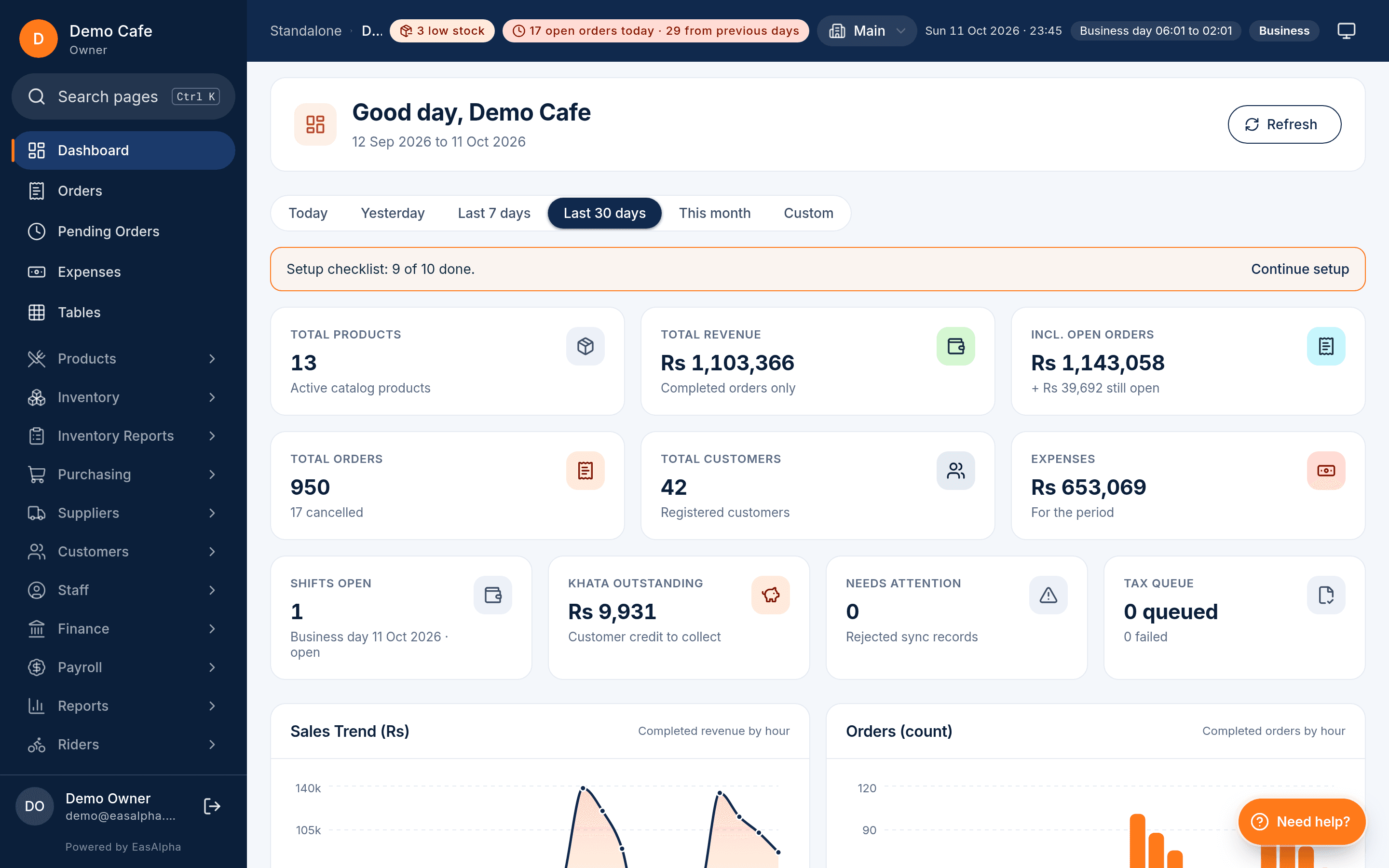
EasAlpha gives restaurant owners an offline till, kitchen screens, stock that deducts itself, supplier and khata ledgers, payroll, riders, WhatsApp receipts and 27 reports, all in one account.
- 90-day free trial
- No card needed
- Set up in a day
90 days
- 0
- reportseach with CSV and PDF
- 0
- permissionsgranted per user
- 0
- screens for your teamtill to rider app
- 0
- price in PKRno per-order fees
Illustrative examples from pilot conversations, not quotes from named customers
The first month we could actually see food cost per dish. Two recipes were losing money and we fixed the portions the same week.
Khata used to live in a notebook. Now every regular has a balance, a limit and a WhatsApp statement at month end.
Power went for three hours on a Friday night. The tills carried on, the kitchen screen carried on, and nothing was lost.
Product tour
Everything a restaurant runs on, in one account
Not a till with add-ons. Sales, kitchen, stock, purchasing, money, people and customers share one database, so every number ties out.
Sell
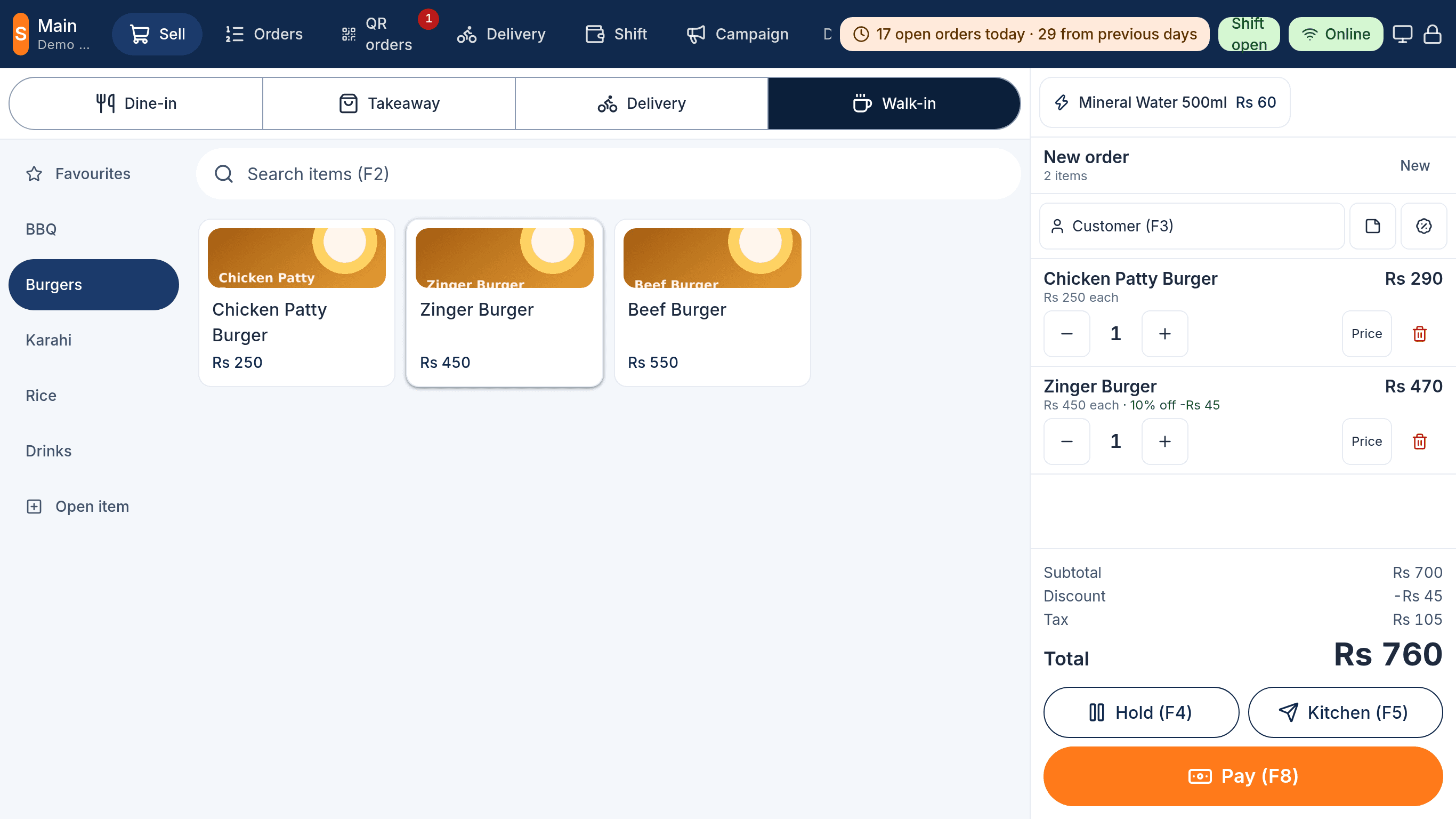
A till that is fast at 9 pm on a Friday
Walk-in, takeaway and delivery from one screen, PIN login per cashier, part payments and a reopen flow that records every change.
- Works offline; orders queue and sync in order
- Deals, promotions, discount tiers and vouchers at the till
- Receipts on 58 or 80 mm paper with logo, Urdu names and a QR code
Kitchen
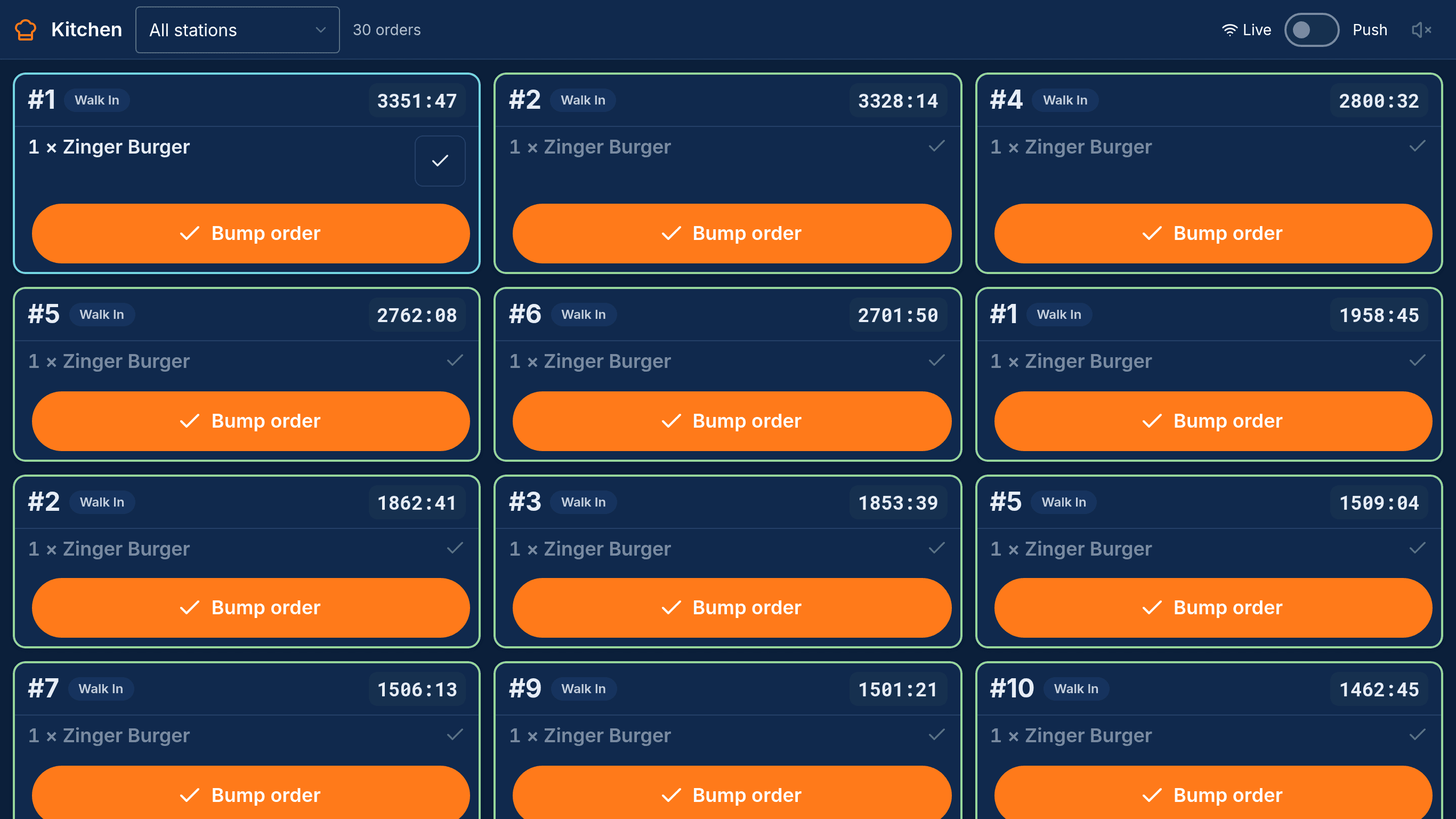
Every ticket where it belongs
Tickets route to stations, timers turn amber then red, and a bump clears the ticket. The token screen tells guests what is ready.
- Stations per branch with their own printers or screens
- Alerts for late, modified or cancelled tickets
- Order-taker tablet sends dine-in orders straight to the kitchen
Inventory
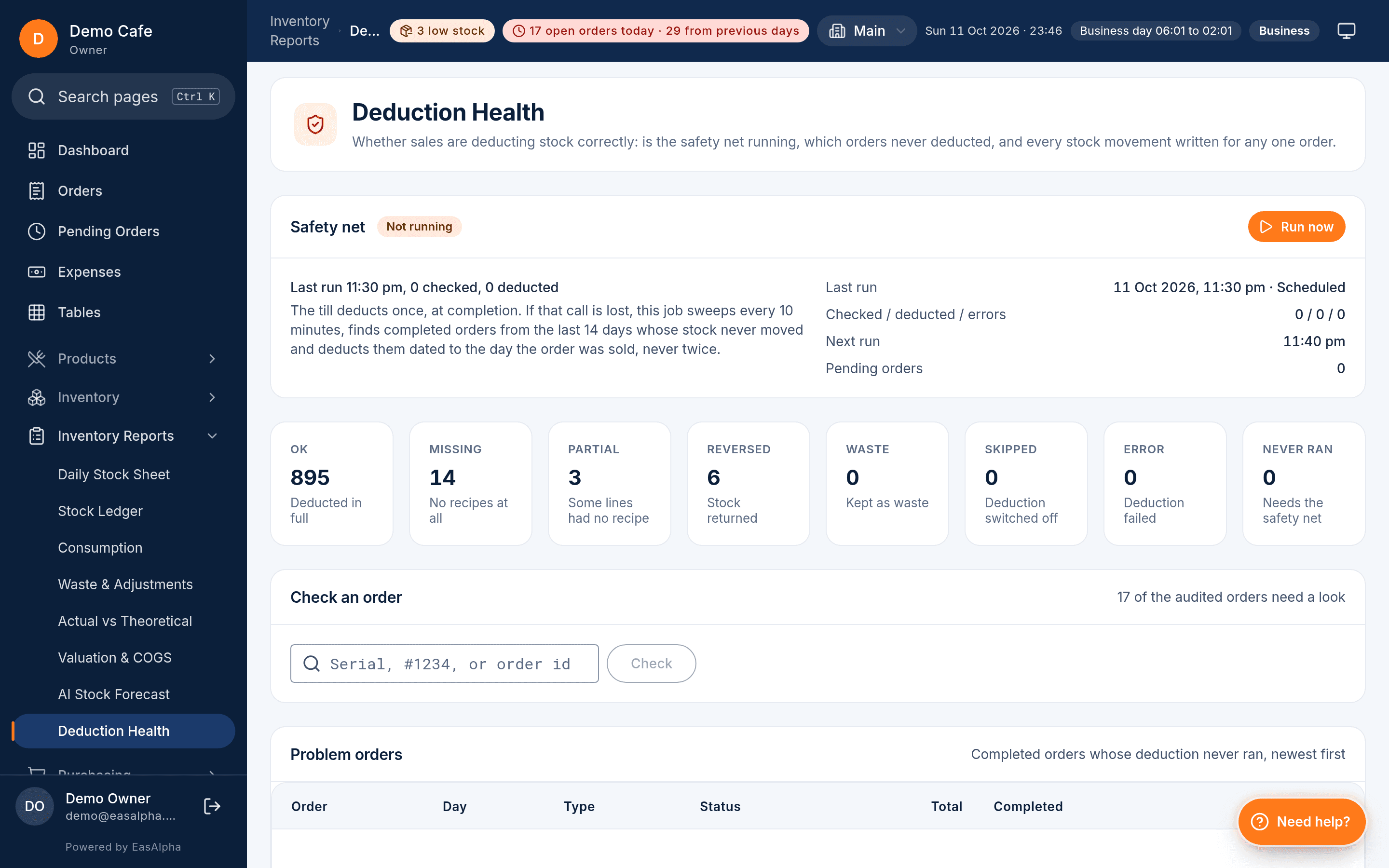
Stock that deducts itself
Recipes link every product to its ingredients. When an order completes, stock is deducted once, never twice, and a safety-net job catches anything missed.
- Deduction Health shows deducted, pending and retried orders
- Actual vs theoretical, valuation and COGS, waste and adjustments
- Demand buckets tell you what to order and when
Money
Accounts that tie out, not a sales summary
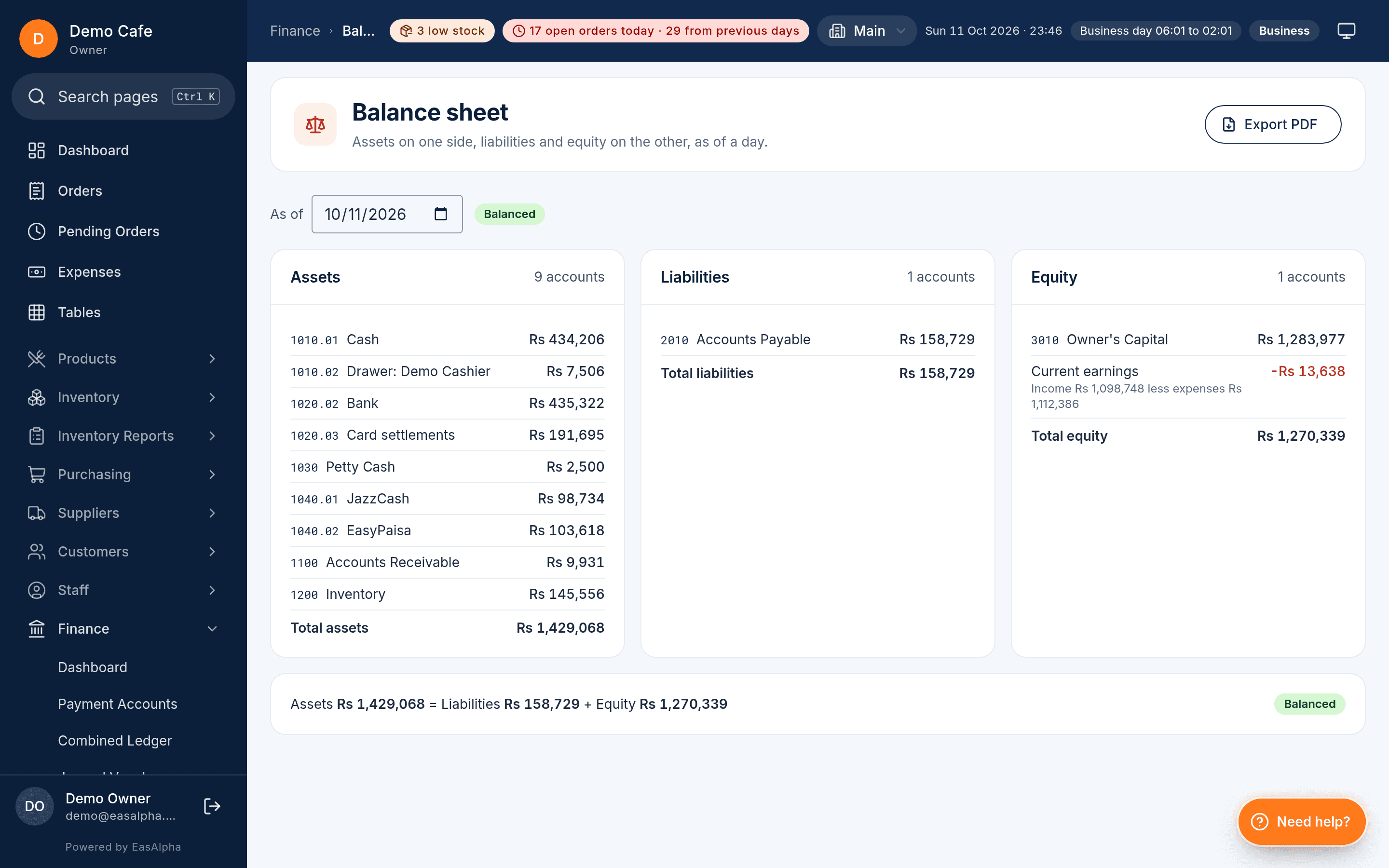
Supplier ledgers, payment accounts and expenses post to real double-entry books with a chart of accounts, journal vouchers, trial balance and balance sheet.
- Supplier Dr/Cr ledger with payments, adjustments and ranking
- Purchase orders, receipts, returns and price history verdicts
- Fixed assets, liabilities, equity and a finance dashboard
People
Attendance, payroll and permissions
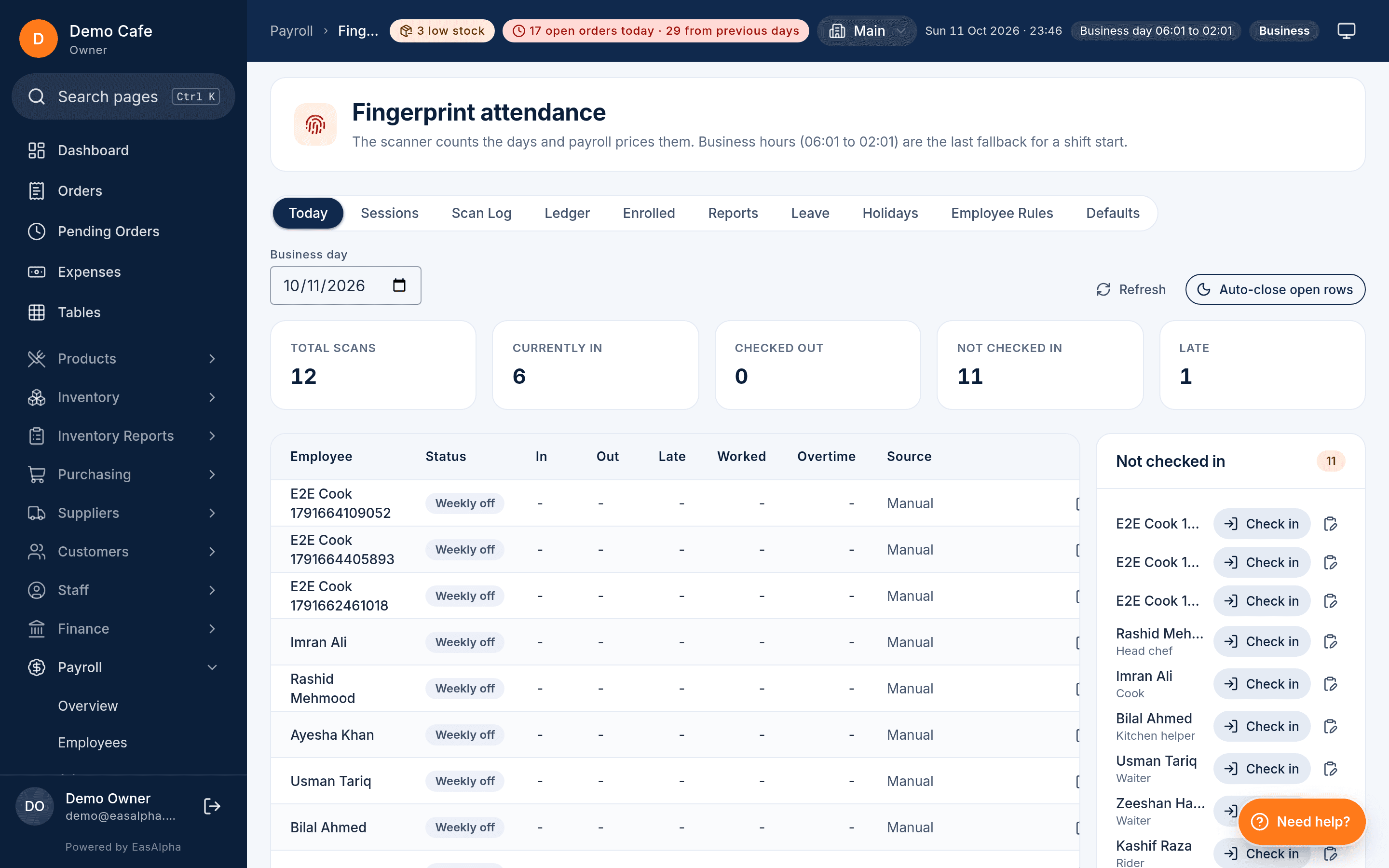
A fingerprint kiosk feeds an attendance rules engine; payroll runs from it with advances, fines and allowances snapshotted per run.
- Fingerprint enrolment and scan log; selfie attendance without a reader
- Late, early, overtime and holiday rules per employee
- 58 permissions per user with Cashier, Supervisor and Manager presets
Reports
27 reports that answer the question
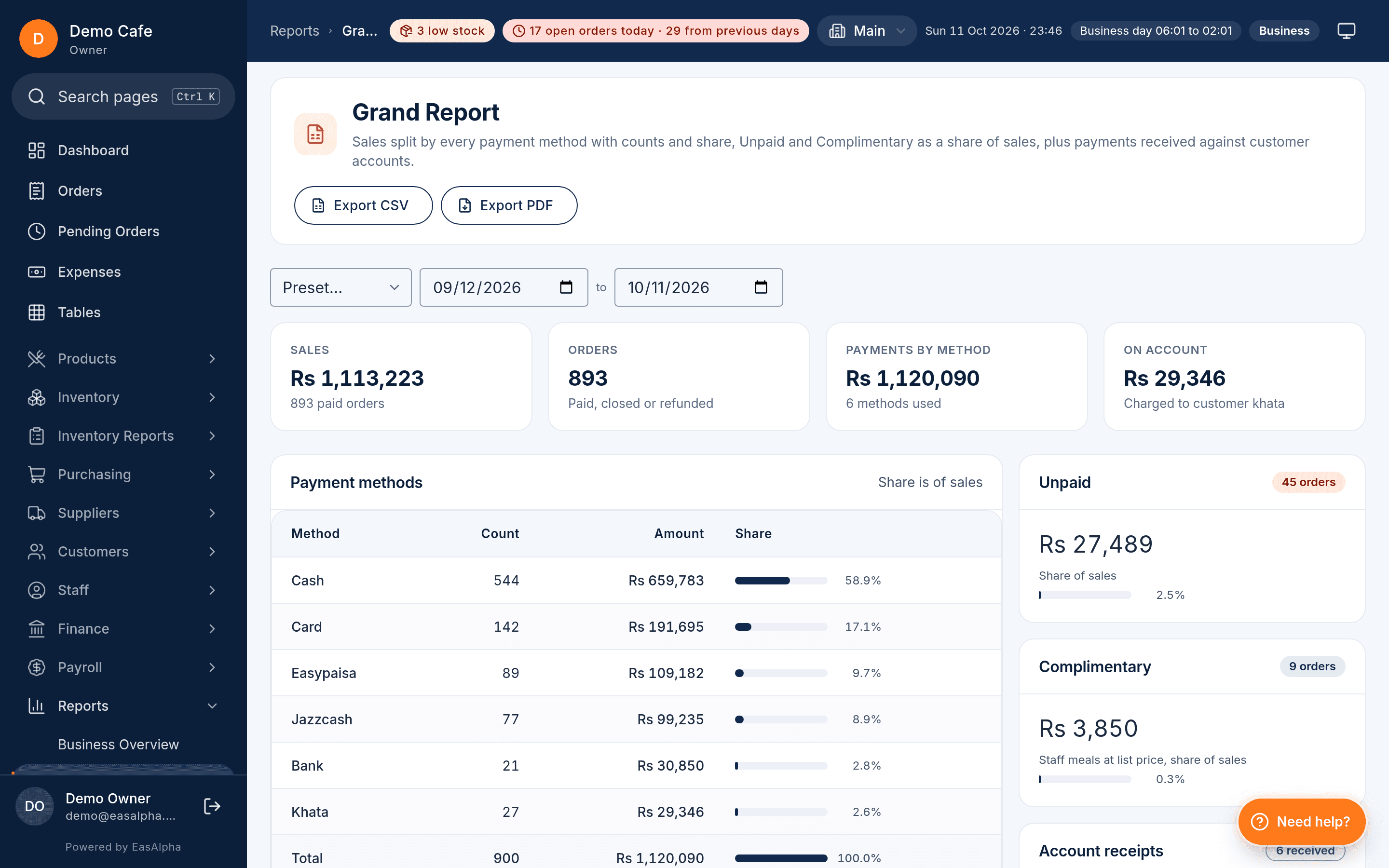
From the Grand Report that ties sales, discounts, tax and payments together to cashier tills and a sales calendar. Every one exports to CSV and PDF.
- Business overview, sales, financial, products, categories
- Order takers, cashiers, cashier till, riders, vouchers, loyalty
- Branch comparison and scheduled reports by email
Built for Pakistan
The details that only matter here, done right
Most POS products are built elsewhere and adapted. EasAlpha starts from how restaurants in Pakistan actually run.
Works through load-shedding
The till and kitchen keep running when the internet drops. Orders queue locally and sync when it returns; nothing is lost silently.
FBR and PRA tax invoices
Tax per item, inclusive or exclusive, PCT codes, PRA e-IMS filing and FBR invoices from the same order. SRB and KPRA too.
Foodpanda orders
Aggregator orders land in the same order list with their commission accounted for, so your reports show the real margin.
WhatsApp from your own number
Link your restaurant's WhatsApp by scanning a QR. Receipts, statements, OTP codes and campaigns go out from a number your customers know.
Khata credit done properly
Each customer is a ledger account with a khata number, a credit limit, aging and a statement you can send with one tap.
Urdu on receipts and screens
Urdu names for categories, products and modifiers print on receipts and show on the till and storefront.
PKR, JazzCash, EasyPaisa
Payment accounts for cash, cards, bank and mobile wallets. Every payment posts to double-entry accounts automatically.
Push alerts for owners
A push when a day closes, a till stays offline too long, stock runs low or an order is cancelled.
Seven surfaces, one account
Every screen your staff touch
Each surface has its own login and permissions, and all of them write to the same orders, stock and accounts.
Desktop till
Windows and Linux installer with ESC/POS printing and a print server tablets print through. Works offline.
Order-taker tablet
Floor staff take dine-in and takeaway orders at the table; tickets go straight to the kitchen.
Kitchen display
Tickets per station with timers, alerts and bump. A token screen shows guests what is ready.
Rider app
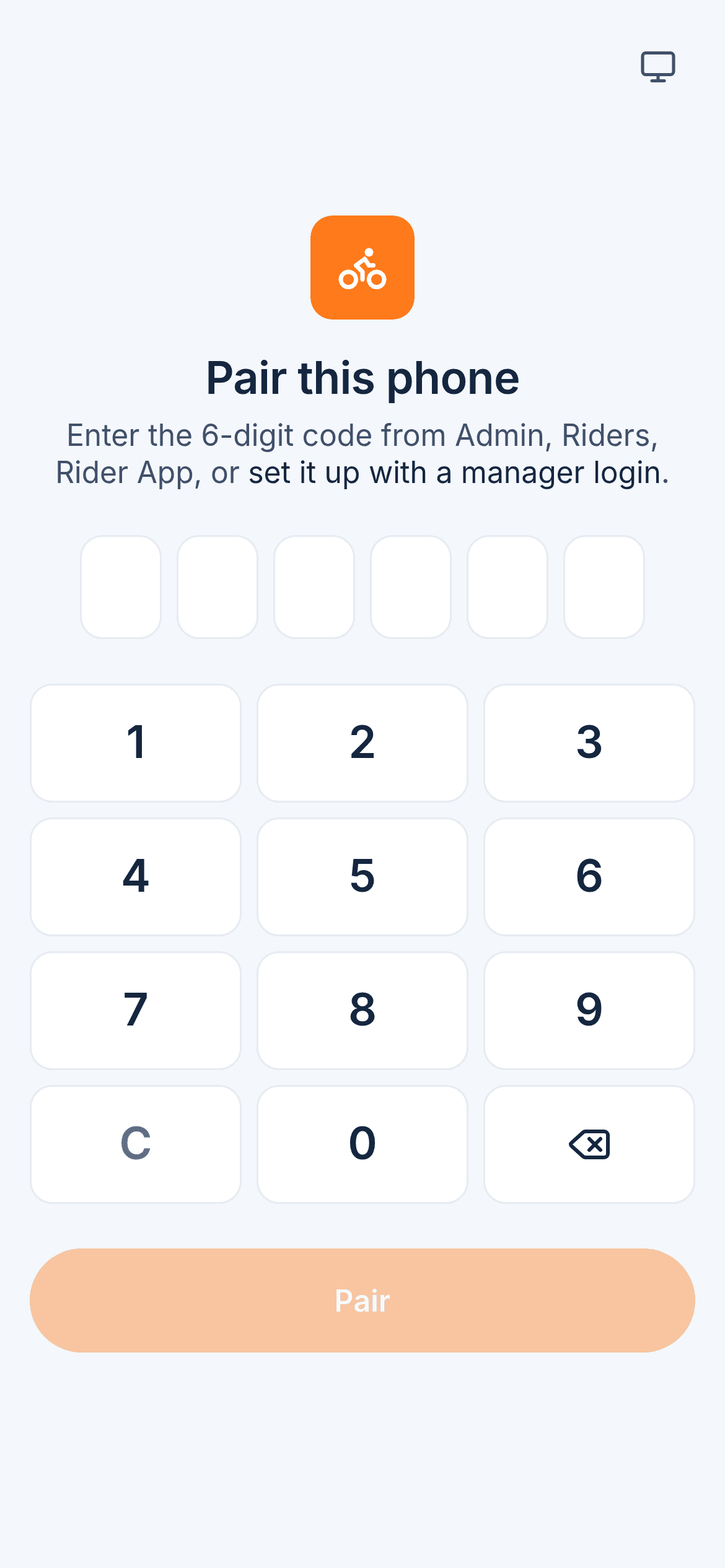
Riders pair their phone, see assignments and mark status; the till confirms cash on delivery.
Storefront website
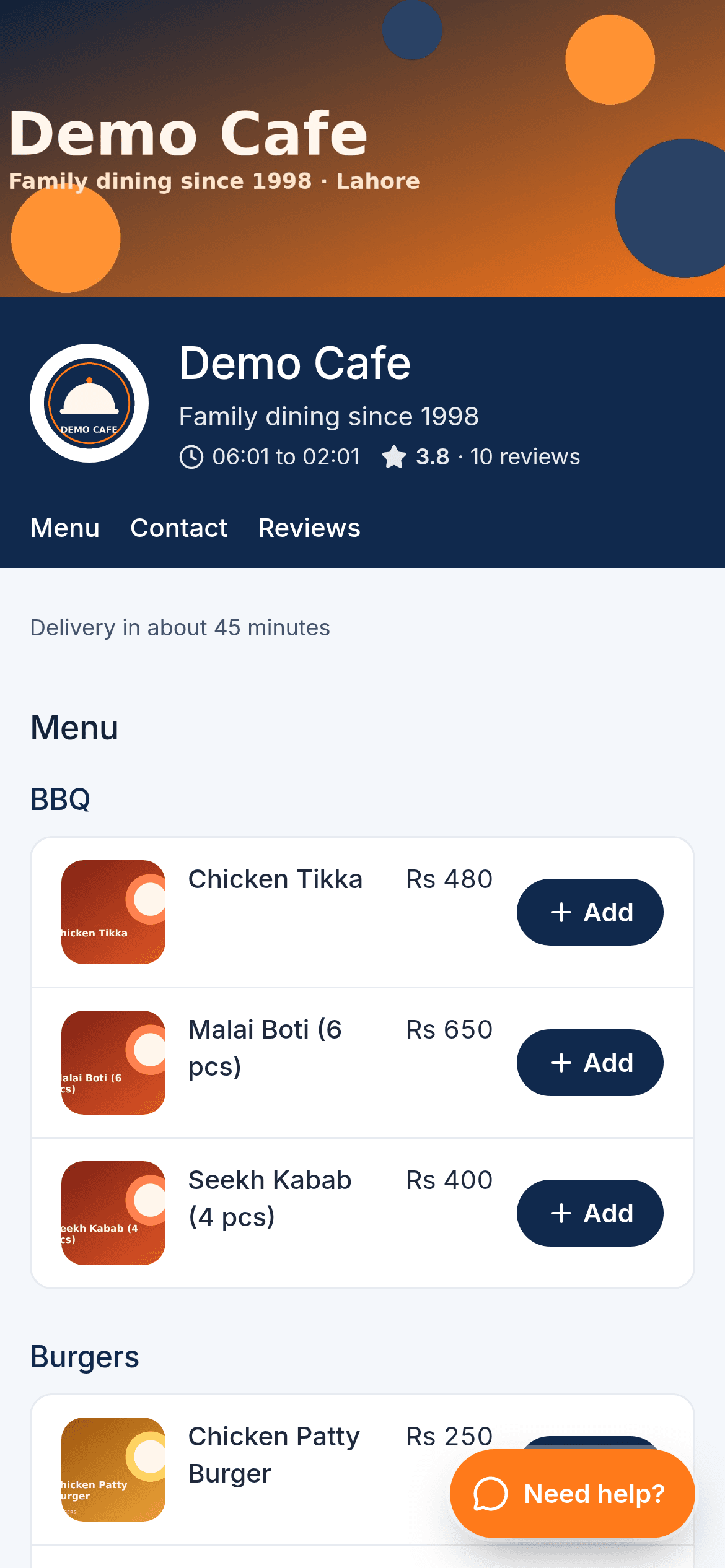
Your own ordering site with menu, cart, QR table ordering and reviews, on your domain if you like.
Admin panel
Everything for owners and managers: menu, stock, money, people, reports and settings, per branch.
Pricing
Simple monthly plans in rupees
Every plan starts with a 90-day free trial. Pay yearly and get two months free.
Starter
One counter, the essentials done properly.
Billed monthly, cancel any time
- 1 till
- 3 staff logins
- 1 branch
- Offline selling and receipts
- Customers, khata and expenses
Pro
Most popularKitchen, stock, riders and tax for a busy restaurant.
Billed monthly, cancel any time
- 3 tills
- Unlimited staff
- Inventory with recipe deduction
- Riders and tables
- Kitchen display
Business
Every branch, every surface, every report.
Billed monthly, cancel any time
- 10 tills
- Up to 20 branches
- Loyalty and vouchers
- Attendance and payroll
- Foodpanda and aggregators
Full comparison and billing questions on the pricing page.
Questions
Before you start
Anything else? Message us on WhatsApp and a person answers.
Does EasAlpha really work offline?
What do I need to run it?
How long does setup take?
Can I move from my current POS?
Is my data mine?
What does the free trial include?
Open your account today
Create your restaurant, import the menu and sell this evening. 90 days free, no card, cancel any time.
- 90-day free trial
- No card needed
- Set up in a day